Art Marketing
How wall art visualizers help artists sell more work online
Selling art online is not just about making great work: it’s about making collectors imagine living with the piece. Wall art visualizers for artists solve this by letting buyers see the work on a wall, in context and at scale, before they commit. In this guide, you’ll discover what wall art visualizers are, how they work, and how you can use them to strengthen your marketing strategy and get more sales.
Contents
What are wall art visualizers for artists?
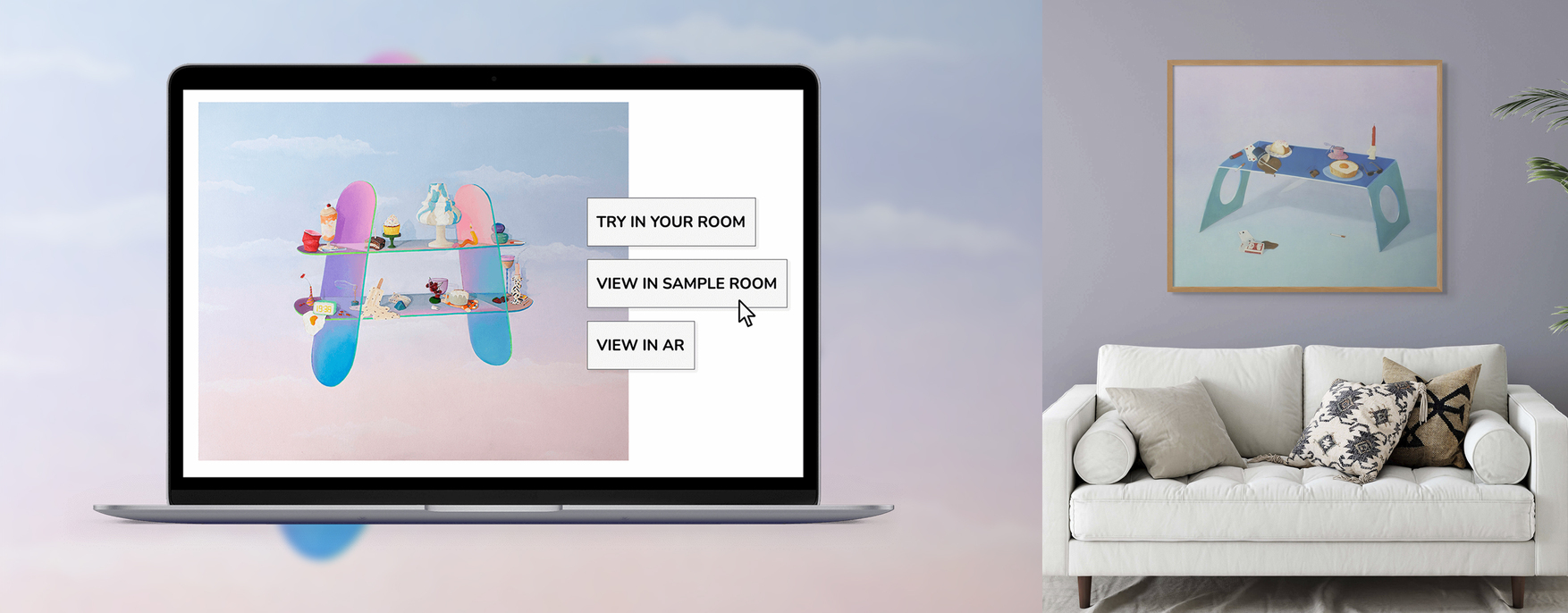
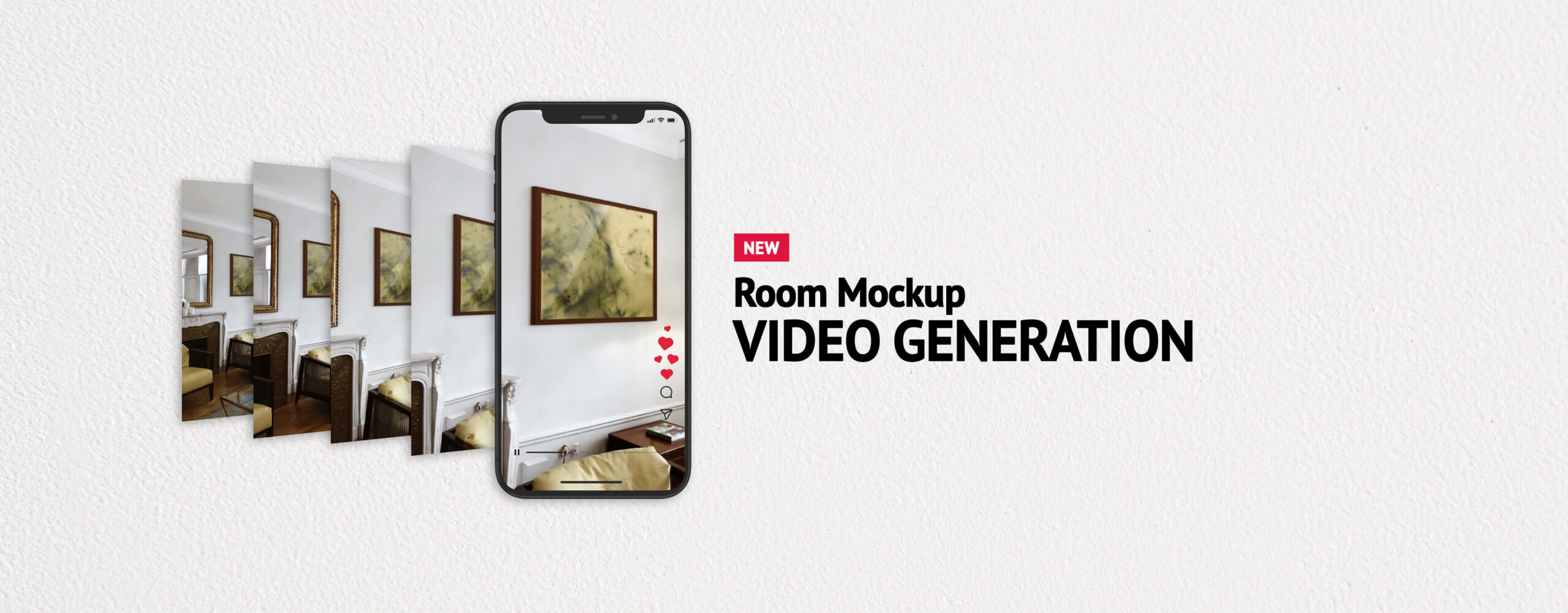
Wall art visualizers are digital tools that let you display your pieces in the context of rooms. For artists selling online, visualizers serve as buyer-facing tools: embedded on a website or shared through social media, they let collectors answer common questions like “will this work in my space?” that tend to be hurdles to a sale. ArtPlacer helps answer those questions with three different wall art visualizers for artists and art professionals. Use Room Mockups to place your artworks into any one of more than 2,800 rooms and share them as pictures or videos on socials, listings, and your website.
Take it further with Personal Spaces by uploading a photo of the collector’s actual room and placing the artwork in it at an accurate scale. For serious buyers or commissions, this answers the three questions that stop a purchase: Will it fit? Will the colors work? Will I love how it looks? And it helps you direct conversations in a productive and concrete way to guide the collector towards the sale. Widgets let you create this experience directly on your website. Visitors browse your work in room scenes, upload a photo of their own room, or use their phone camera to see the piece on their actual wall in augmented reality.
Do wall art visualizers help artists sell more artwork?
Industry trends say yes. Full-time artists, gallerists, and art marketplaces use wall art visualizers like Room Mockups to sell online because they help remove friction between seeing a piece of art and feeling like that piece belongs at home.
When a collector sees artwork they love on a white background, the question they’re asking internally is: “But where would I put it?” Room Mockups answer that question visually and immediately. It replaces abstract possibility with a concrete, emotionally resonant image of the piece in context: a living room, a bedroom, a conference room. They don’t have to imagine what they can see. For art professionals, this visual aid can make the difference when it comes to sales. Every time you give a collector the visual tools to answer their own questions, you’re building the kind of trust that turns first-time buyers into repeat collectors. In short, it’s not just about making your work look better. It’s about building an art business that makes buyers feel confident enough to say yes and supported to keep coming back.
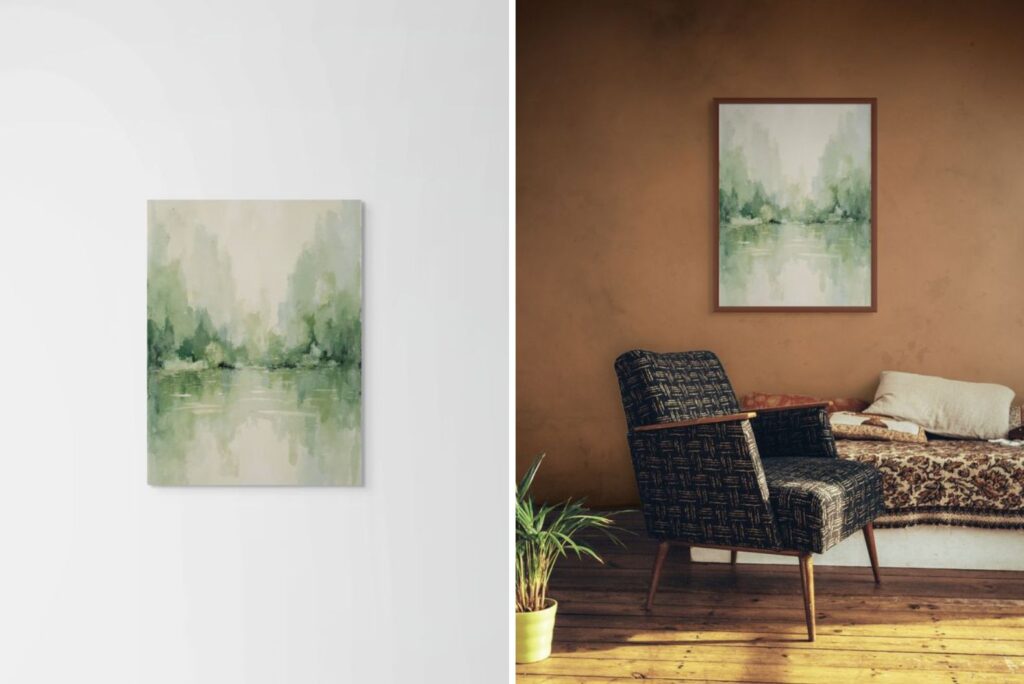
Displaying a piece of art in a Room Mockup provides context and communicates the feeling of a piece clearly. Combine it with a white background for a top-notch listing or product page.
How can I increase online art sales with visualization tools?
Room context images are consistently cited as one of the highest-impact changes artists can make to their online listings. For instance, the standard advice for Etsy and independent art website listings is to include at least one Room Mockup alongside your product-on-white-background shots. Buyers who see artwork in a room spend more time on the listing page and, as a result, are more likely to complete a purchase.
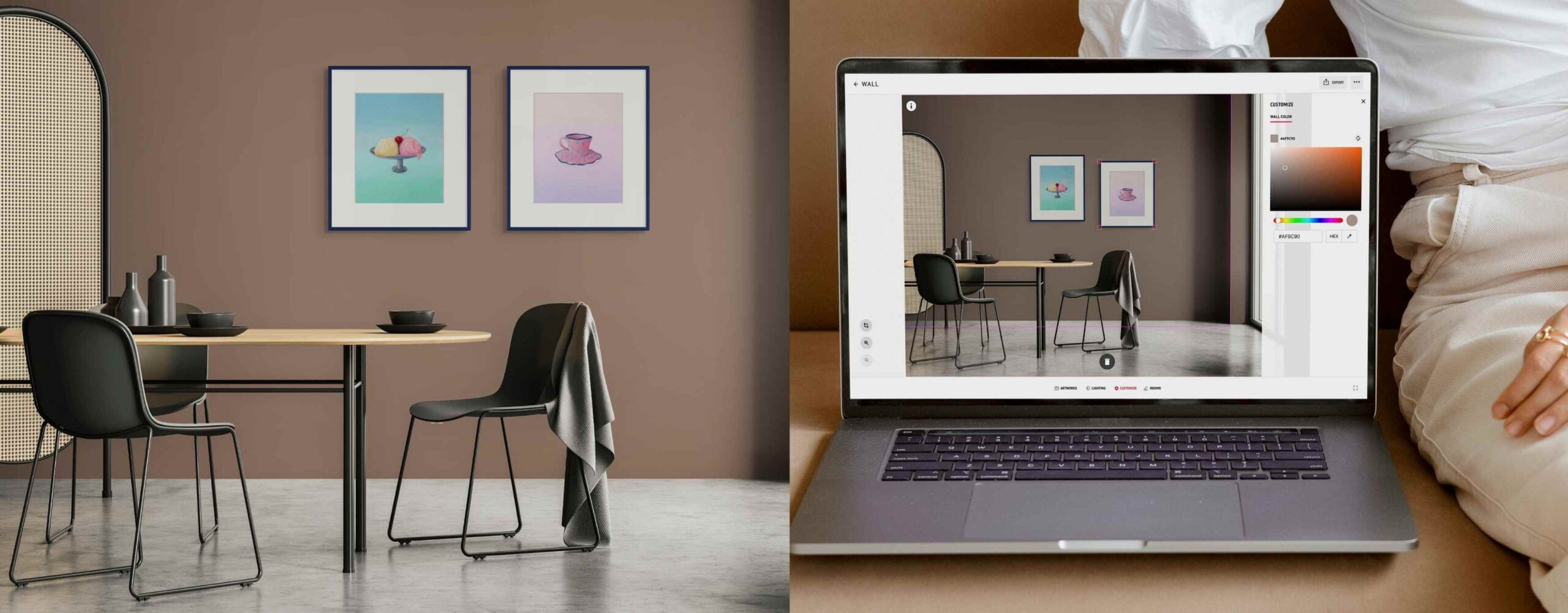
How to do it: Use ArtPlacer to generate a few Room Mockups for each piece. Choose rooms that match the vibe of the artwork and appeal to your collectors’ aesthetic. You can tweak the color of the walls, lighting, and shadows, and adjust the framing to create a cohesive look. Add these as secondary images in your Etsy listing or product gallery, share them via socials, and include them in your website.
Get started creating your own Room Mockups with ArtPlacer’s free trial. Sign up now!
How to use Room Mockups on social media as an artist?
On social media, a painting shown in a styled room consistently generates more saves and shares. A flat product shot on a white background just doesn’t perform the same way. The room context makes the image feel aspirational and shareable rather than transactional, and it’s much more eye-catching when scrolling. Room Mockup Videos elevate that effect. Every platform’s algorithm currently prioritizes video over static posts: Instagram Reels, TikTok, and Pinterest video pins all get preferential treatment in recommendations and search.
With ArtPlacer, you can turn any Room Mockup into a 5-second cinematic clip. The camera glides toward the artwork as if you were walking through the room and approaching the piece. It’s subtle enough that the art stays the focal point, but dynamic enough to stop a scroll and takes no video editing skills; just pick the room, place the artwork, and export.
Room Mockup videos make collectors feel like they’re right there in the room with the art, creating an immersive experience as the camera moves slowly towards the piece.
How to do it: Start incorporating Room Mockups as images and videos into your social media content. You can place one artwork into several Room Mockups and make an Instagram carousel showing how it adapts to different spaces. Alternatively, group pieces with similar palettes into a single Room Mockup to show how they work together as a collection.
For Reels and TikTok, generate a Room Mockup video for scroll-stopping content. Similarly, on Pinterest, Room Mockups are particularly powerful because they align with exactly how users browse: by imagining a room they want. Posting consistently is key to building a strong social media presence, and we’ve got you covered; dive deeper into Instagram content ideas with our curated post guide made for artists and updated every month.
How can artists present artwork professionally to collectors and galleries?
Room Mockups are the professional standard for presenting artwork to collectors, curators, interior designers, art advisors, and other art professionals. A PDF or email with properly visualized room placements is significantly more persuasive than artwork images alone.
For example, interior designers in particular respond to room context presentations because their entire job is about visualizing how objects look in spaces. An artist who sends a mockup of a painting in a living room setting (at scale, with the right proportions) is speaking the designer’s visual language.
The same logic applies when pitching yourself as an artist to galleries and curators. A submission that includes the pieces in a wall art visualizer shows you understand how the work lives in a space. That’s exactly the judgment a gallerist exercises when deciding what to hang and where. In other words, it signals curatorial awareness: that you’ve thought about scale, context, and the viewer’s experience. In a competitive submission pile, that distinction is often what moves an artist from “interesting” to “worth meeting.”

Create a Presentation that incorporates wall art visualizers. Enable collectors to see the art on a photo of their space or use AR to view it live on their walls.
How to do it: Whether sharing art with a collector, collaborating with an interior designer, or submitting to a gallery, an ArtPlacer Presentation is the way to go. Create high-resolution Room Mockups or Personal Spaces from photos of the gallery you’re pitching to. Then, add them directly to a polished PDF that includes artwork details and artist information into a single, elegant document ready to send.
Include two or three Room Mockup scenes showing the work in different interior contexts, so the collector can see the piece adapt across settings rather than committing to a single vision of it. Share via email as a link, or export as a PDF for in-person presentations, art fair follow-ups, or pitches to interior designers.
What tools improve the online art buying experience the most?
The tools that most directly improve the online art buying experience are those that close the gap between seeing an artwork online and understanding how it will feel in person. That’s what wall art visualizers like the ones ArtPlacer offers help achieve.
The highest-impact option when it comes to creating a smooth art-buying experience is a website integration like ArtPlacer’s Widgets. Here, the buyer drives the visualization themselves, exploring the work in different scenes at their own pace. This generates the most engagement and the longest time-on-page. Visitors can try the art in a preselected set of rooms or upload a photo of their own space. They can also use Augmented Reality to visualize the piece on their actual wall, instantly, through their phone camera.
Moreover, Room Mockups images remain high-impact for listings and social media, and are the most accessible starting point for most independent artists. They’re easy to use, fun to create, and provide an immediate differentiator. Room Mockups cover listings and social; Widgets cover the website. Together, they address most buyer journeys and make collectors feel guided from first interest all the way to sale.

Wall art visualizers like Room Mockups, Personal Spaces, and AR visualization make collectors feel as if you were right there with them talking them through the piece.
Why should artists show artwork in rooms?
As art professionals trying to build an art business, it’s important to remember that any friction between “I love this” and “I’m buying this” is a potential lost sale. Wall art visualizers for artists remove the buyer’s inability to picture the work in their space, streamlining the process and guiding them towards the sale.
ArtPlacer helps solve this problem by closing that gap and giving buyers the confidence to purchase a piece of art. A strong website that shares art in context through wall art visualizers like Room Mockups and invites visitors to interact with the piece helps cement yourself as a serious art professional. Start your free ArtPlacer trial today and start changing the way you sell art.